
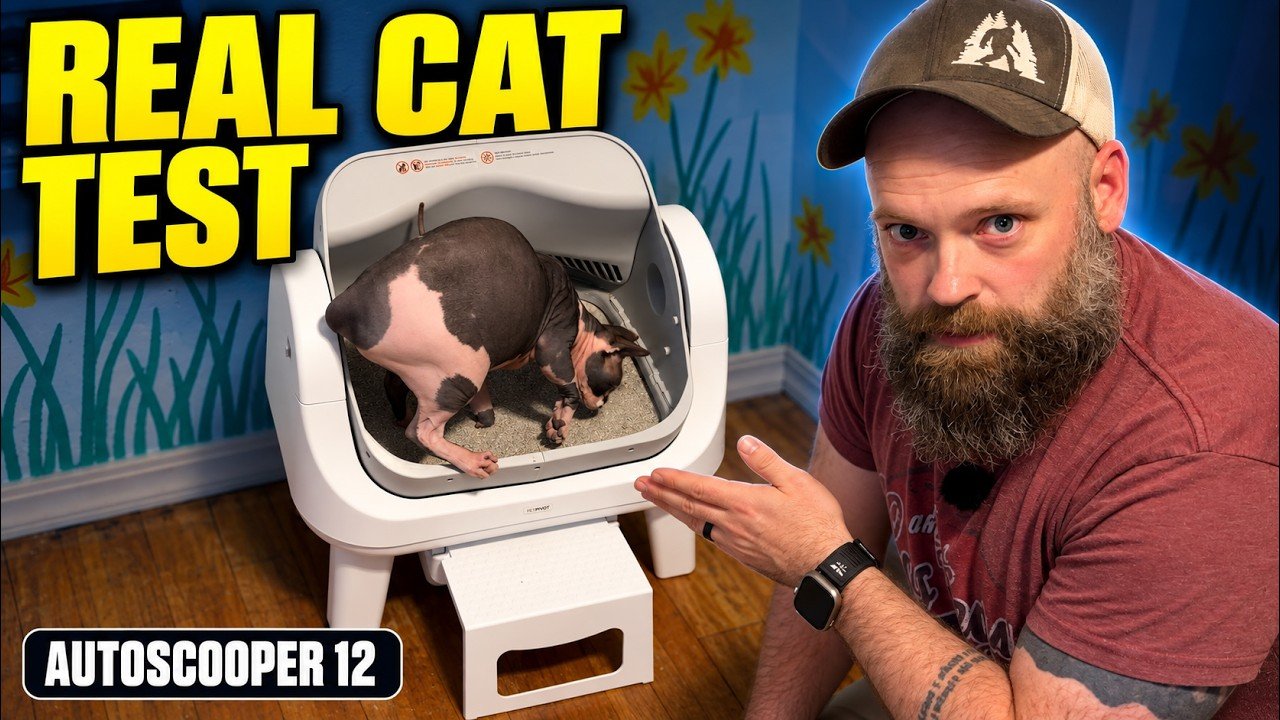
When I told my wife I wanted an automatic litter box, she reminded me that we already had a voice-activated one: “Braden, scoop the litter box.” That pretty much explains why I wanted to try the PetPivot AutoScooper 12. I wanted less daily scooping without making cat care more complicated.
What stood out to me was the open-top design and the lack of an app. There is no Wi-Fi setup, account registration, or subscription needed for the cleaning operation I show in my video. It is a litter box that scoops itself, with controls on the unit.
Affiliate disclosure: If you buy through my product link, I earn a small commission. Your price does not change; it simply helps support SLVRBCK Troop and the reviews and videos I create. As an Amazon Associate, I earn from qualifying purchases.
My quick take: I like the AutoScooper 12 for its simple controls, open design, and easy-to-remove waste drawer. Both of my cats use it, although I think they prefer a litter box they can crawl into. Automatic scooping saves a job, but emptying the waste bin, cleaning the parts, and keeping the sensors clear are still part of ownership.
Jump to: Watch my review · Setup · Cleaning cycle · Maintenance · Who it suits
Watch my PetPivot AutoScooper 12 review
Watch the full review on YouTube
An open-top litter box with no app
The open design was the first thing I noticed. My cats were comfortable approaching it and getting in. There is no enclosed entrance they have to climb through. That does not mean every cat will prefer it: my own cats will use this box, but I believe they lean toward the enclosed style.
The no-app feature is a real positive for me. I do not have to download anything or sign up with my email just to get the litter box working. If you want remote controls or app-based information, that same simplicity may be a limitation. For my purpose, the physical buttons are enough.
How I set up the AutoScooper 12
My unboxing includes the unit, waste receiver, four legs, entry step, bags, power cord, instruction manual, and quick-start guide. The setup section begins around 1:00 in the video.
- Fit the four legs. In my demonstration, they push into their mounting points and lock into place.
- Install the waste liner and entry step. Fit the bag correctly and slide the receiver into position. The step gives the cat an approach to the litter area.
- Power on and let it align. My unit runs its initial alignment before I add litter. Follow the included instructions and leave the mechanism clear.
- Fill between the marked litter lines. I show the visible maximum line and use the litter-leveling button after filling. Avoid overfilling.
PetPivot’s official AutoScooper 12 guide specifies small-particle clumping mineral or bentonite litter and excludes crystal litter and long-strip tofu litter. Check the guide supplied with your exact model before choosing litter or copying the setup.
What the automatic cleaning cycle looks like
Around 2:01, I explain how the box moves after the cat leaves: an initial partial rotation covers the waste, a pause allows clumping, and a later rotation separates the waste into the receiver before the chamber returns to its normal position. The litter bed is retained for the next visit; this is not the same as throwing away all the litter.
The useful part is that I am no longer scooping after every visit. I still need to check the unit and empty the receiver. My video describes the timing I observed; use your current manual for the programmed cycle rather than treating my narration as an exact timer.
Safety sensors: what I demonstrated
In my video, I demonstrate the mechanism stopping when I interrupt it, then resuming when the obstruction is gone. I liked seeing it pause. That demonstration is an observation from my unit, not proof that an automatic litter box can never malfunction.
PetPivot’s current guide sets minimum automatic-use requirements above 3 lb and 6 months, and recommends manual mode for smaller or younger cats and for pregnant or nursing cats. Confirm suitability for your cat and exact model, keep sensors unobstructed, and follow the manual. Do not put your hands into a moving mechanism to repeat my demonstration.
What I still have to empty and clean
The waste drawer demonstration starts around 3:27. I pull the receiver out, open it, remove the bag, and slide it back into place after fitting a fresh liner. That is the routine job replacing daily scooping.
For a deeper clean, I show the two locks opening around 4:34, which lets me remove the litter chamber. The important distinction is between removable washable parts and the frame containing the motor, sensors, and electronics.
- Switch off and unplug before cleaning. Keep the cat away while you service or reassemble the box.
- Wash only the removable parts identified as washable. My video shows the waste receiver and litter-area components; follow your model’s instructions for removal and cleaning.
- Wipe the electronics-containing frame. I use a damp cloth rather than soaking or submerging it. Keep sensor areas clean without flooding them.
- Let everything dry completely. Do not trap moisture when reassembling the unit.
- Secure both locks after replacing the chamber. I point this out in the video because leaving them open can let the chamber move incorrectly.
Automatic cleaning does not make this maintenance-free. I would consider the waste drawer and removable chamber as part of the buying decision, just as much as the automatic cycle.
The buttons I use instead of an app
The controls section begins around 5:33. I show power, litter leveling after adding litter, and the cleaning button. I also demonstrate the child-lock controls and holding the clean button for about five seconds to switch to manual mode. Check the instructions and indicator lights on your unit before changing modes.
Who I think this litter box suits
I would put this on the shortlist for someone who wants automatic scooping with physical controls and an open litter area. The easy waste-bin access and absence of app setup are the main reasons I liked it.
I would think more carefully if your cat strongly prefers an enclosed box or if you want connected features. My cats use the PetPivot, but I would not promise that switching litter boxes will be immediate or that every cat will choose an open design.
If you are comparing maintenance on other automatic boxes, see my HomerunPET CS106 vs. Litter-Robot 5 Pro comparison. That article focuses on the everyday cleanup differences I found with those two models.
Check the PetPivot model from my video
Paid link: I earn a small commission if you buy through this link, at no additional cost to you. Thank you for supporting my work.
Check the PetPivot litter box listing
Confirm the selected model and included accessories before ordering. This review covers the AutoScooper 12 shown in my video; do not assume that every version or current listing is identical.
My takeaway
For me, this was an investment in making an everyday job easier. I like that the PetPivot AutoScooper 12 keeps the operation simple: no app, no subscription for cleaning, and a waste receiver I can pull out and empty. Both cats use it. I still have cleaning and upkeep to do, but I no longer have to be the voice-activated scoop.