
Can a plug-in AC motor speed controller slow down a device that only has a basic on/off switch? In my video, I tried one with a fan and an angle grinder. Turning the dial changed how fast both ran, and the setup was simple. The important question is whether a particular motor is designed to run that way.
Affiliate disclosure: As an Amazon Associate, I earn from qualifying purchases. If you buy through my affiliate link, I may earn a small commission at no extra cost to you. It helps support SLVRBCK Troop.
My quick take: I liked the smooth dial and straightforward plug-in design. It demonstrated adjustable speed on the devices in my video, but that short test does not establish compatibility, safe continuous operation, or performance under load. Check the controller and tool manufacturers’ instructions before using this combination.
Watch my AC motor speed controller demonstration
What this plug-in controller actually does
This is a ready-made control box. There is no circuit assembly or exposed-wire installation in my demonstration: the device plugs into the controller, and the controller plugs into an outlet. Calling it a DIY setup describes how I used the accessory; it is not a guide to building a mains-voltage controller.
The unit in my video has a rotary adjustment knob, an output-voltage display, a power switch, and a socket that accepts common US Type A and Type B plugs. I also show the belt clip, two mounting points, and a cord measuring about 36 inches. The dial turns smoothly without fixed clicking positions.
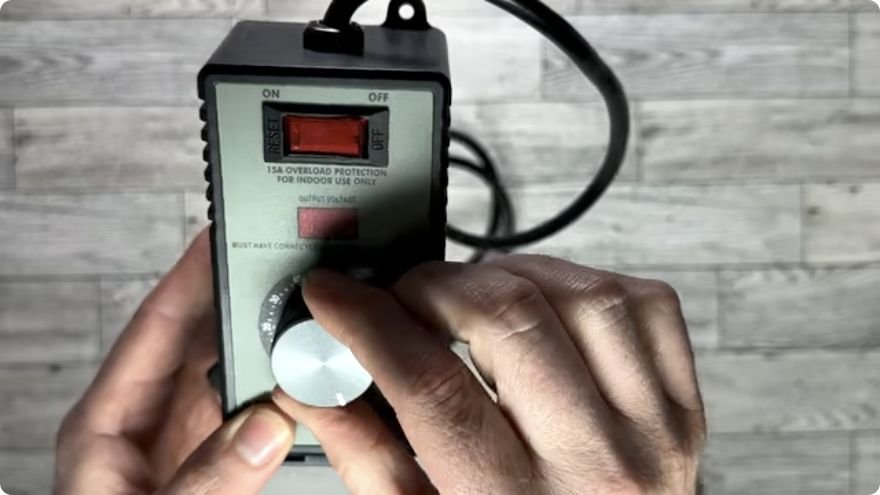
That display is useful for comparing settings during the demonstration. It does not directly measure motor speed, torque, or temperature. I did not verify its accuracy with a separate meter or inspect the internal circuitry, so I would not describe this unit as a variable-frequency drive or claim a particular PWM control method.
Check motor compatibility before plugging anything in
A 120V plug does not mean every 120V motor is compatible. Motor design and built-in electronics matter. Some plug-in speed controls are intended for compatible universal brushed motors. Fans, pumps, brushless tools, and tools with soft-start or electronic speed regulation may require a different controller or prohibit external voltage control.
For an example of how specific these restrictions can be, Harbor Freight’s manual for a different router speed controller excludes brushless motors and soft/slow-start routers and requires checking the router’s instructions. That is not the manual for my unit, and its ratings do not apply here; it illustrates why compatibility must be confirmed for the exact equipment.
If your fan or tool manufacturer does not permit external speed control, choose an approved controller or a device with built-in variable speed. Do not use a brief successful demonstration as a substitute for that approval.
The electrical ratings need a closer look
The product description supplied with this controller lists 110–120V input, 9A rated current, 15A maximum current, 1500W inductive load, and 4000W resistive load. Those numbers should not be treated as interchangeable continuous-use limits.
In particular, 4000W does not fit a 120V, 15A input rating. For a resistive load, 120V × 15A is 1800W; 120V × 9A is 1080W. These calculations identify the inconsistency—they are not approval to operate the controller at either wattage. Motors also have starting-current and operating characteristics that a simple watts calculation does not resolve.
Before purchase or use, check the actual nameplate and manual and obtain a clear continuous rating and approved load type from the manufacturer. Follow the lowest applicable confirmed limit for the controller, appliance, cords, and circuit. I would not connect a high-power heater or kettle based on the 4000W marketing claim.
The unit is advertised with a cutoff above 15A and a flame-retardant enclosure. I did not overload it to test the cutoff, verify the casing claim, or verify independent safety certification. A protective feature does not make an incompatible motor suitable, and a three-prong socket alone does not establish that grounding has been verified.
My fan test: slower airflow, then a stall
I started with the fan on its lowest built-in setting. Adjusting the controller brought the speed down further, giving me a slower breeze. At one point, the display showed approximately 47V. When I kept reducing the setting, the fan eventually stopped turning.
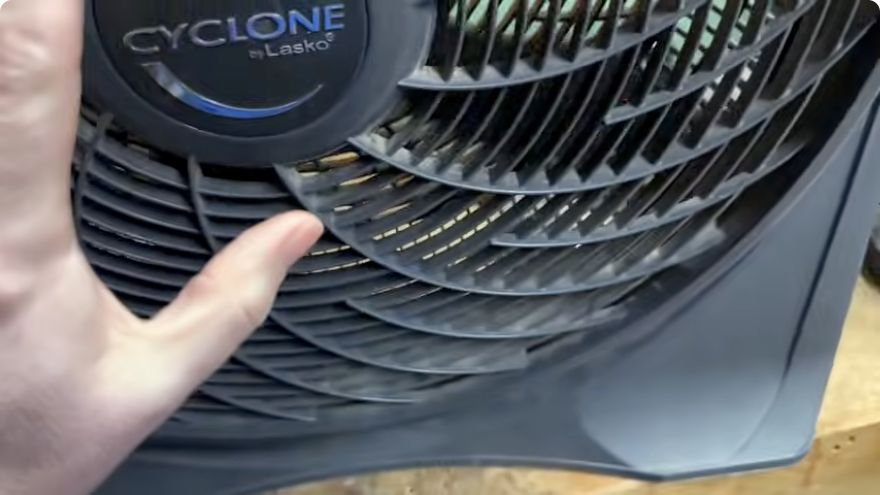
If a motor stalls, switch it off and unplug it immediately. Do not leave it energized while it is stopped or repeatedly try to run it at that setting. The 47V reading in my video is not a target voltage for other fans. Even a fan that keeps spinning may be unsuitable for voltage reduction; use this approach only when the fan manufacturer explicitly approves it.
My angle grinder test: visible speed change, with limits
The angle grinder in my demonstration normally runs from a simple on/off switch. With the control box connected, I could visibly slow its rotating accessory by turning the knob. That was the clearest example of the controller changing speed on a device without a built-in adjustment dial.
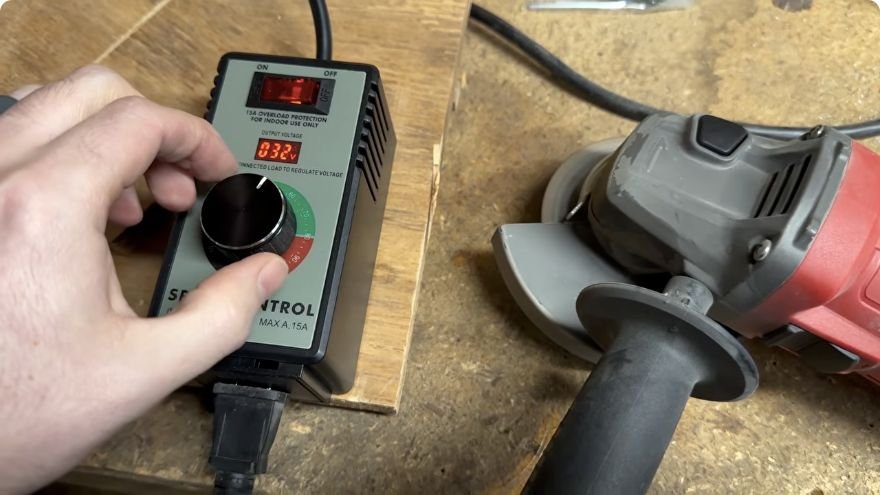
I did not measure torque, temperature, or loaded cutting speed. Slower rotation alone does not prove better cutting performance or greater safety. Reduced motor speed can also reduce cooling, and operation under load may behave differently from a free-running demonstration.
For actual grinder work, follow the grinder and accessory manufacturers’ requirements for compatibility, operating speed, guards, side handle, and protective equipment. Use the specified grip and keep the workpiece secure. Do not assume an external controller makes every grinder or attachment suitable for low-speed work.
A practical checklist for an approved setup
1. Confirm the combination. Identify the motor type and check both manuals. If the compatibility or continuous rating remains unclear, stop and ask the manufacturer before connecting it.
2. Inspect and position the equipment. With everything unplugged, check the cords, plugs, controller, and appliance. Keep the unit dry, clear of debris, and positioned so the cord cannot enter a moving tool. The label visible in my video specifies indoor use only.
3. Connect with the switches off. Follow the exact controller’s connection and startup instructions. Do not assume its lowest dial setting is an off switch, or that a stopped motor has no power supplied to it.
4. Use only the approved adjustment range. Make gradual changes according to the manufacturer’s instructions. Watch for stalling, unusual noise, surging, overheating, or a burning smell. Stop and disconnect if anything behaves abnormally.
5. Shut down and unplug. Turn off the appliance and controller, wait for moving parts to stop, and disconnect power before changing accessories or moving the setup. Do not test the overload protection by deliberately exceeding its rating.
Is this AC motor speed controller worth buying?
The simple dial was the part I liked most: the speed change was easy to see, and I did not have to modify the devices to demonstrate it. For a confirmed compatible motor within the controller’s documented limits, that convenience may be useful.
I would make the buying decision around your specific equipment, rather than the broad list of possible applications in a product description. My video shows what happened with my fan and grinder during a short demonstration. It does not establish long-term reliability or make this a universal upgrade for electric tools.
Check the AC motor speed controller listing on Amazon (affiliate link). Confirm the current model, instructions, and ratings before buying; I may earn a small commission at no extra cost to you.
For more hands-on projects, visit my DIY & How-To articles. If these demonstrations help you, you can also support SLVRBCK Troop by buying me a coffee. I appreciate the support.